
Send Vercel logs to Squasher for AI error triage.
Route Vercel runtime, edge, and deployment logs into Squasher so platform failures become grouped errors, debugging timelines, and reviewed incident context.
- 01Detect
- 02Correlate
- 03Diagnose
- 04Verify
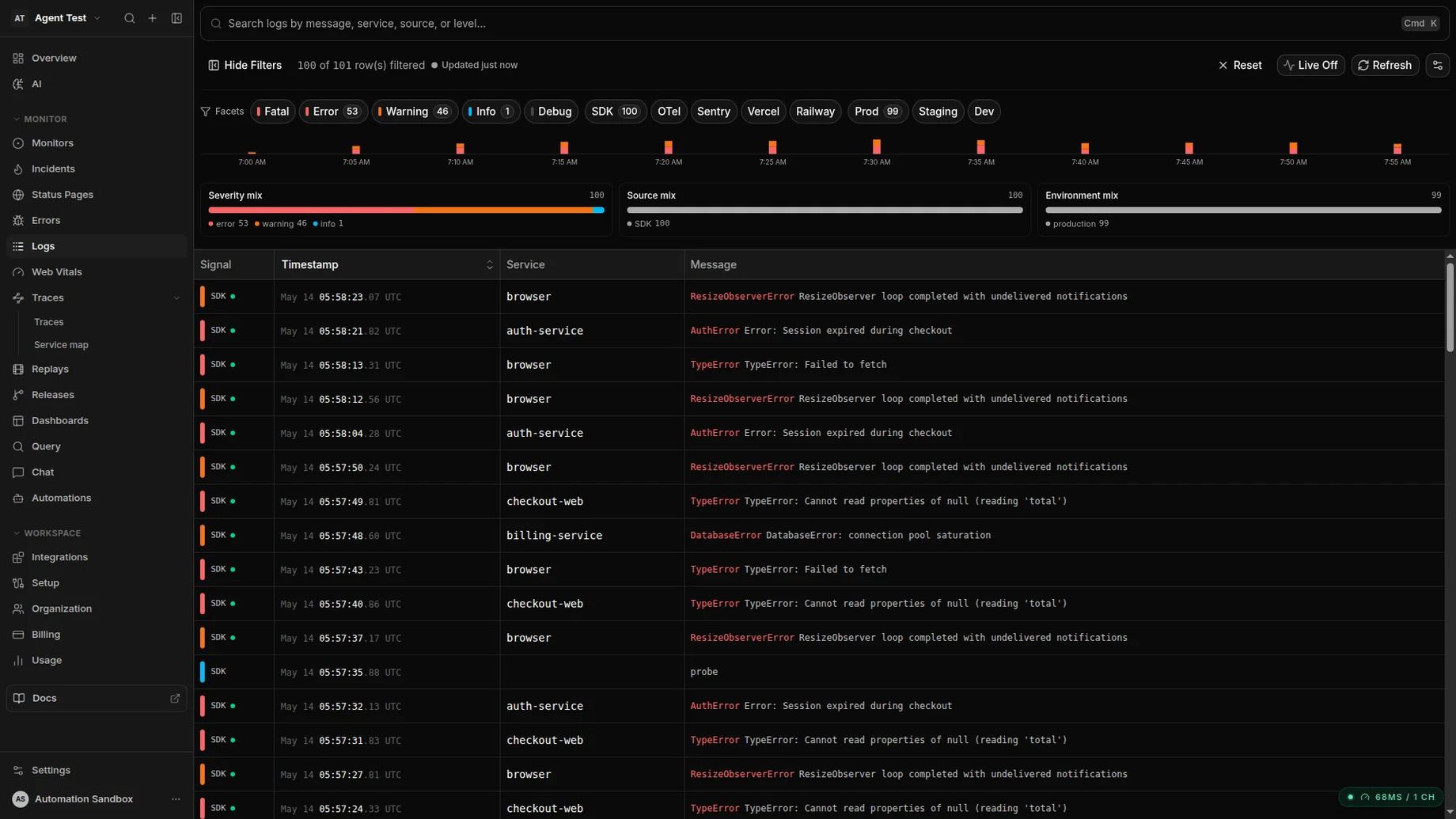
Vercel logs land in Squasher in seconds, indexed alongside SDK errors and OTLP traces.
Why drains
Vercel logs should stay in the debugging flow.
Serverless and edge logs explain failures that SDK events can miss. A drain keeps that platform context next to the errors, releases, and responders who need it.
Function logs
Capture runtime output, thrown errors, and failed request clues from serverless functions.
Edge logs
Keep edge middleware and edge function failures visible next to application errors.
Deploy context
Connect logs to deployments, environments, releases, and regressions after a Vercel push.
Request clues
Preserve status, route, host, and message context when Vercel includes it in the drain batch.
Setup
Create the connector, paste the managed URL, then verify delivery.
Squasher returns a project-specific endpoint for Vercel. Use that managed URL in Vercel's custom log drain settings and keep environment routing intentional.
Create a connector
Use the dashboard, CLI, API, or MCP server to create a Vercel connector for the target Squasher project.
Copy the managed URL
Paste the generated project-specific HTTPS drain URL into Vercel instead of hand-typing keys or endpoints.
Choose environments
Start with production logs, then add preview or staging drains only when they have a separate triage purpose.
Add the Next.js SDK
Pair the drain with the Next.js SDK when you need user context, stack frames, breadcrumbs, and browser evidence.
vercel-drain-setup.sh
# Create a managed connector and copy the returned drain URL
squasher log-connectors onboard --project <project-id> --connector-key vercel --display-name "Vercel production"

# Paste the managed HTTPS URL into Vercel as a custom log drain
https://ingest.squasher.ai/v1/drain/vercel/<project-id>
Workflow
From Vercel log batches to fix-ready error context.
Squasher treats the drain as evidence, not just storage. Logs are kept close to the release, request, trace, replay, and SDK context that explain a regression.
Forward Vercel runtime, edge, and deployment logs through a managed Squasher log connector.
Normalize source, level, message, environment, deployment, and request context into the project timeline.
Create error groups from high-severity log records, failed requests, and platform failure signals.
Correlate Vercel logs with SDK errors, releases, OpenTelemetry traces, and session replay when available.
Use AI triage to summarize the likely cause, affected surface, and next debugging step for responders.
Common issues
Most drain problems are endpoint, environment, or context problems.
When a Vercel log drain does not help responders, check the delivery path before changing the debugging process.
No logs arrive
Confirm the Vercel drain uses the managed Squasher URL for the right project and environment.
Auth or signature errors
Regenerate the connector URL instead of reusing a copied key from another project.
Preview noise hides incidents
Split preview and production drains or label them separately before routing alerts.
Errors lack stack context
Keep the drain for platform logs and add the Next.js SDK for application stack frames.
Too many low-value logs
Tune Vercel sources and environments so Squasher receives logs that help explain failures.
FAQ
Answers for teams routing Vercel logs into Squasher.
Short, implementation-focused answers around Vercel drains, Next.js coverage, environment separation, retention, and triage.
- What is a Vercel log drain?
- A Vercel log drain forwards platform, function, and edge logs from Vercel to an HTTPS destination such as Squasher.
- Which Vercel logs should I send?
- Start with production runtime and edge logs, then add preview environments when you want release-candidate failures to land in the same debugging flow.
- Should I also install the Next.js SDK?
- Yes when you need richer application context. The drain covers platform logs, while the Next.js SDK adds stack frames, user context, breadcrumbs, and browser evidence.
- How does Squasher use Vercel logs?
- Squasher keeps Vercel logs searchable, extracts high-severity or failed-request events into error groups, and uses the surrounding log context during AI triage.
- How should teams separate environments?
- Use distinct connectors or environment labels for production, preview, and staging so noisy preview logs do not hide production incidents.
- Do Vercel drains replace Vercel observability?
- No. Keep Vercel's native views for platform operations; use Squasher when logs need to connect to errors, releases, owners, and fix workflows.